
Animated Map for TikTok, Reels and YouTube Shorts
Part of Creator Studio: everything Creator Studio can do for your videos, step by step.
In a Reel you have about a second to make people stop scrolling. A route that draws itself across the map with quick zoom pulses does that well, and it tells the viewer in one glance where the trip went. Creator Studio exports it in 9:16, either on its own or together with your 16:9 YouTube version.
The fastest way to a vertical map clip
- Add your places in Creator Studio and choose the way of travel.
- Under Camera, choose Social punch: fast with zoom pulses and short stops, made for 9:16.
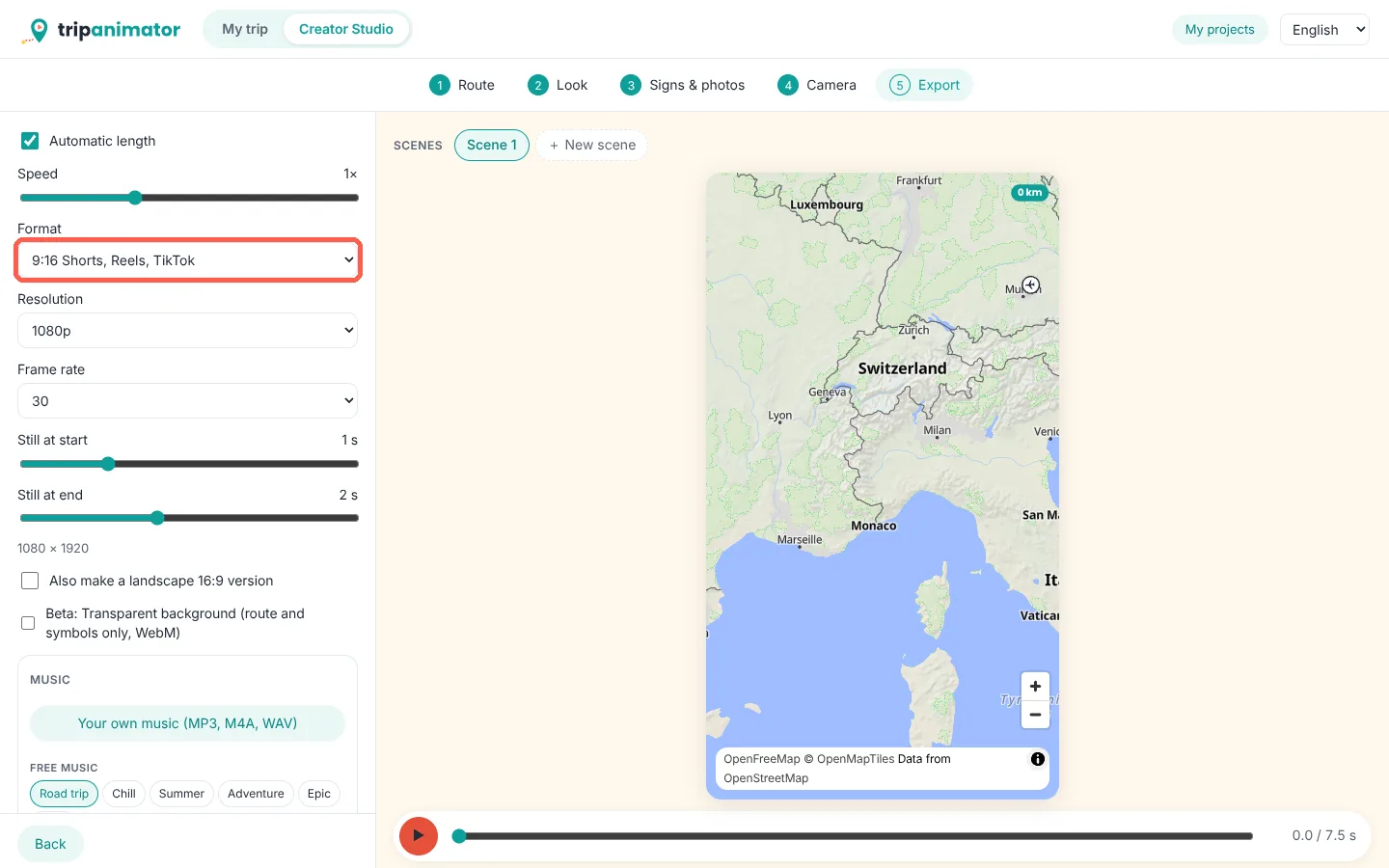
- Under Export, choose 9:16 Shorts, Reels, TikTok as the format, or keep 16:9 and tick Also make a vertical 9:16 version.
- Shorten the clip with Speed. 6 to 15 seconds works well for most Reels.
- Pick a song from the free music, for example from the Rock mood, or use your own.
What makes a map Reel work
- High contrast: Dark or Neon night with a bright line looks strong on phones.
- Few stops: three to five signs at most, short texts.
- A clear end: the outro with kilometres, days and places is a natural last frame for the loop.
- Same look every time: save a style template and your followers recognise your route clips.
9:16 and 16:9 from one project
Most creators publish the long video and the Short from the same trip. Tick the vertical option in the Export step and Creator Studio renders both in one run, each with its own framing. You do not have to build the route twice.
Related
- Flight path animation: a 5 second flight as a Reel opener
- Road trip route animation
- Help: vertical version for Shorts
Try it with your own route
Open Creator Studio, add your places and you see the animation in the live preview right away. Free during the beta, no sign-up. Want to see everything else it can do? Go to travel map animation for YouTube, TikTok and Reels.