
How to Make a Travel Video from Your Phone Photos in 10 Minutes
The tool for it: My trip: trip video from your photos
You do not need an editing program to turn holiday photos into a video worth watching. With My trip in TripAnimator it takes about ten minutes: you choose the photos, the app finds the places on the map, and you get a video with your route, your photos at every stop and the trip in numbers at the end.
Minute 0 to 3: choose your photos
- Pick 2 to 5 photos per place, the best ones, not all of them.
- Add a few short clips, for example the view, the beach, the street market.
- Use the original photos from your phone gallery, they contain the location.
Minute 3 to 6: let the app build the route
Drop the photos into My trip. It reads where and when each photo was taken, groups them into stops and draws the route. Photos without a location? Type the place by hand. Help: add your photos
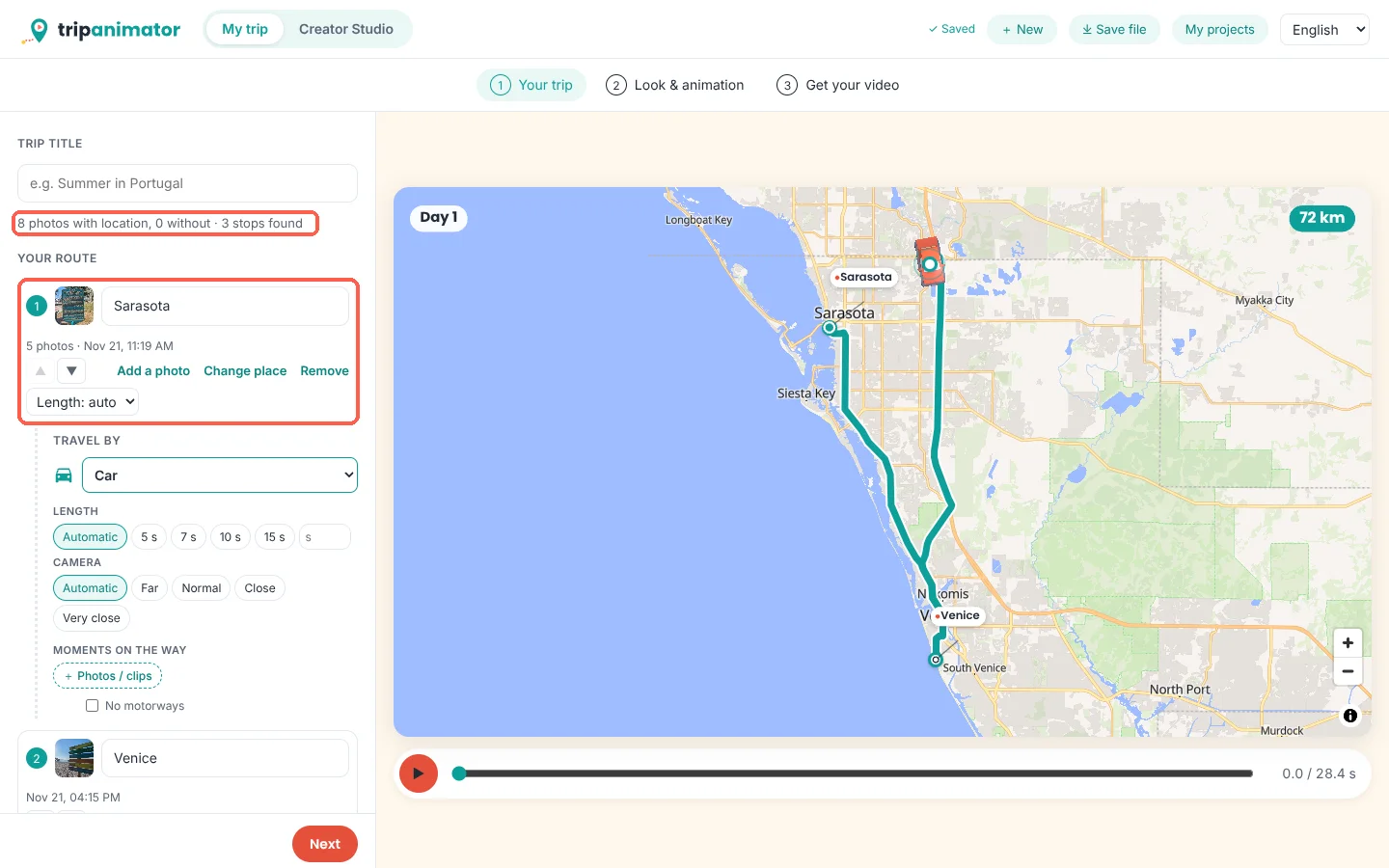
Minute 6 to 8: check the trip
Sort the stops if needed, give them names and choose how you travelled between them: plane, car, ferry, train. Help: check your trip
Minute 8 to 10: look and video
Choose a map style and an animation style, for example Slow travel with music. Pick the format, 9:16 for WhatsApp and Instagram or 16:9 for the TV, and create the video. Help: get your video
Get started
Everything else you can do: My trip.