
TravelBoast alternative in the browser: the same route tested
Full disclosure: we make TripAnimator. That is why this page also says where TravelBoast is the better choice. Everything here comes from our own test in November 2026, without buying anything.
Short answer: stay with TravelBoast if you want everything in a phone app and love its 3D vehicles. Take TripAnimator if you would rather work in the browser without installing anything, want a widescreen Full HD video for YouTube and photos or clips at every stop.
TravelBoast in our test
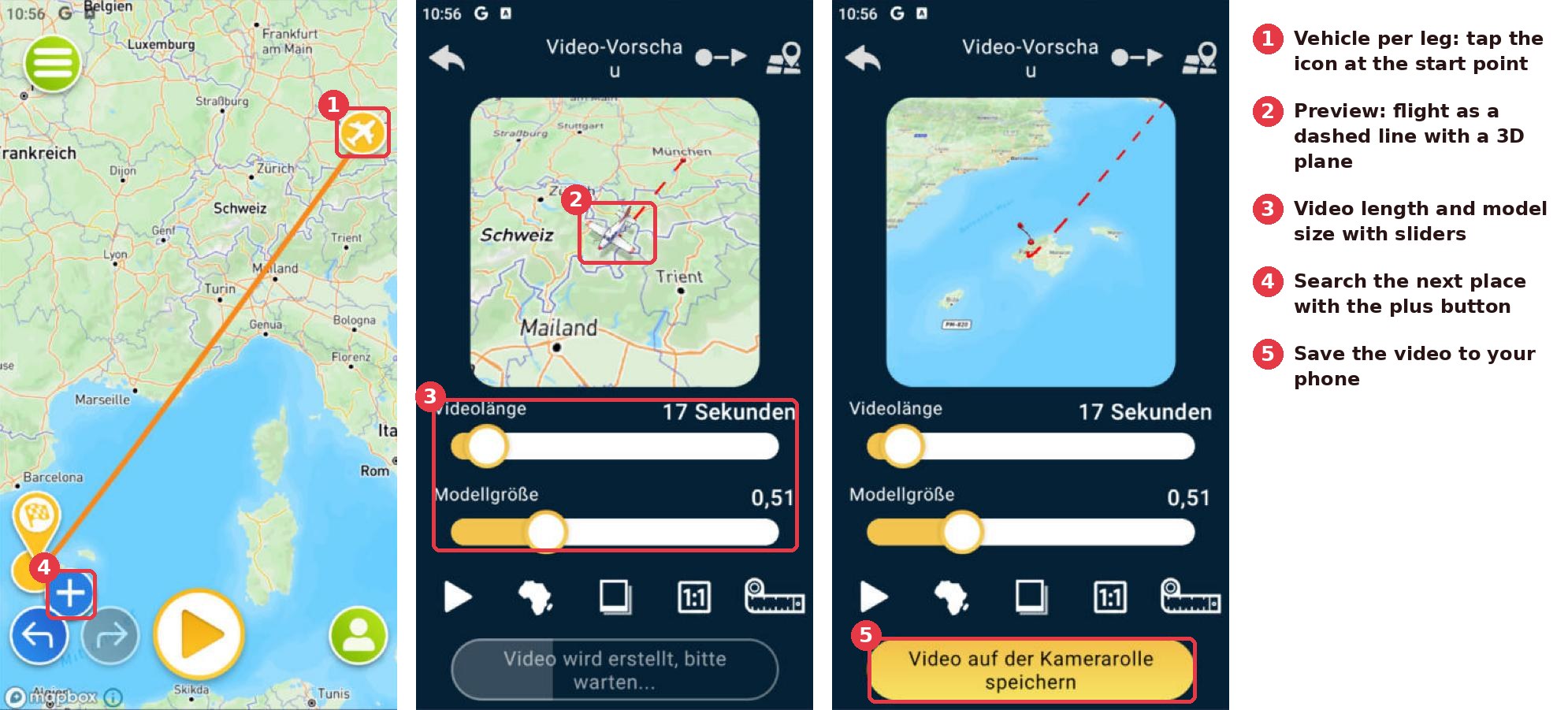
We installed TravelBoast on Android and built our test trip: a flight from Munich to Palma, then on to Sóller. You add the places one after the other with the plus button and pick the vehicle for a leg at its start point. The choice of 3D models is large and the plane looks good in the preview. Two things slowed us down. Searching “Soller” only found a place in northern Spain, we had to use “Port de Sóller” to get to Mallorca. And the video is square by default, which suits Instagram but not YouTube. The preview ran without an account, the clip was 17 seconds long.
The same route in TripAnimator
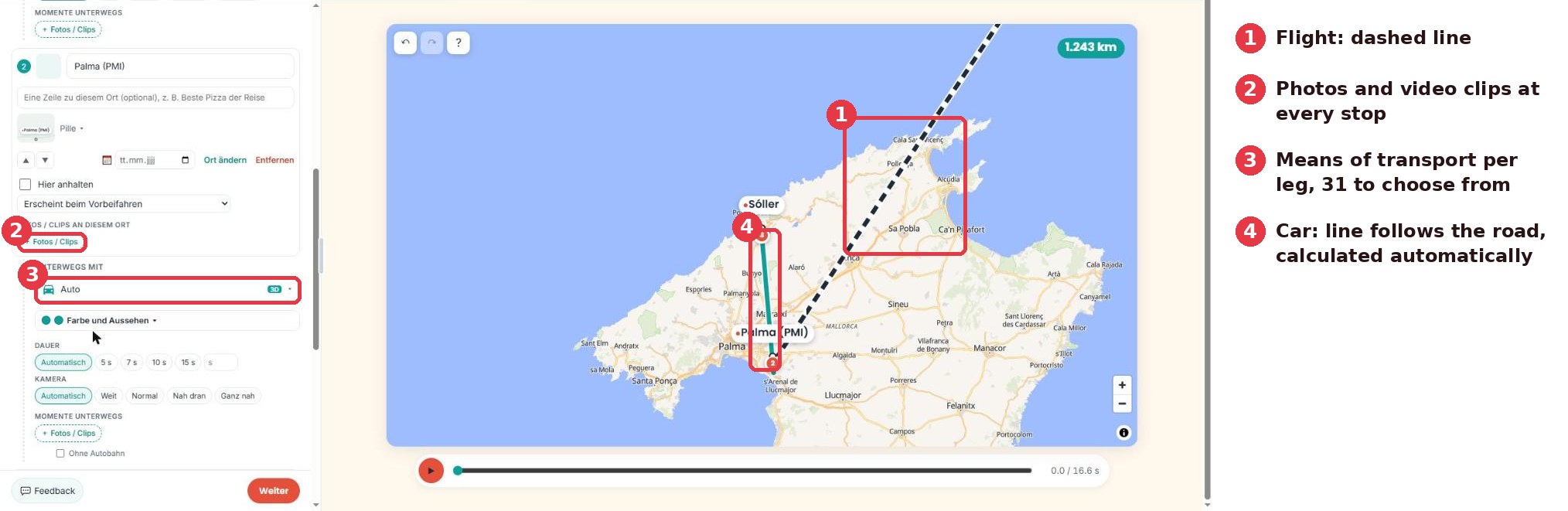
In TripAnimator the route took about three minutes: type Munich, Palma and Sóller, set the first leg to plane and the second to car. The drive follows the real road through the mountains. No account, no download. The video is created right in your browser, so your photos never leave your device.
What else TripAnimator can do
- Unlimited free videos in Full HD, without an account.
- 31 means of transport, changeable per leg, along real roads.
- 3D mountains, 29 map styles including satellite, 10 camera styles from drone flight to world trip.
- Music built in (17 songs free, 112 with Pro), your own voice with Pro.
- Photos and video clips at every stop, the route can be built from your phone photos.
- Import of GPX, KML, FIT and TCX files, for example from Komoot, Strava or Garmin.
- Formats for YouTube, TikTok and Reels, with Pro up to 4K, your own logo and a 15-second short version.
TravelBoast and TripAnimator side by side
| TravelBoast | TripAnimator | |
|---|---|---|
| Runs in | iOS and Android app | Browser, also on the phone, no install |
| Account | Preview without an account | None |
| Free videos | Limits not stated by the provider | Unlimited, 1920 × 1080, small mark |
| Vehicles in the free version | Large choice of 3D models, some sold separately | 31 means of transport, changeable per leg |
| Car leg on real roads | Not tested | Yes, free, and you can drag the line onto the road you took |
| Route files | GPX, Google Maps link | GPX, KML, FIT, TCX |
| Price | $5.99 a month, $29.99 a year, single vehicles $1.99 | Free to use. Pro from €2.99 per video, one-time, or Pro+ from €5.90 a month, cancel any time |
Where TravelBoast is better
- A real phone app: everything happens on the phone, also on the go.
- The 3D vehicles: the provider lists more than 250 models, and the plane in our test looked better than a simple icon.
- 19 languages.
Where TripAnimator is better
- No install and no account: open the page and start, on a laptop or a phone.
- Widescreen Full HD by default, made for YouTube.
- Photos and video clips at every stop, and the route can be built from your phone photos.
- The search found Sóller on Mallorca at the first try.
- Pay once from €2.99 for a single video instead of a subscription.
All tools side by side, with prices and free limits: the best travel map animation tools compared.