
Travel Map Animation for YouTube, TikTok and Reels
Creator Studio turns a route into a clean, cinematic map animation for your YouTube video, your Shorts and Reels or your own edit. Click your places, pick a look and a camera, and export up to 4K, right in your browser.
What creators make with it
| Use case | How it looks | Start here |
|---|---|---|
| Travel vlog intro | The plane flies from your home airport to the destination before the first shot. | Flight path animation |
| Day overview of a road trip or motorcycle tour | The route draws itself along the real roads, with a sign at every stop. | Road trip route animation |
| Car, ferry and plane in one route | The symbol changes from car to ferry to plane at the exact point where you switched. | Change transport mid-route |
| Shorts, Reels and TikTok | 9:16 with fast zoom pulses, exported together with the 16:9 version. | Animated map for TikTok and Reels |
| Hiking and cycling stages | Each stage in its own scene, all exported as one video or one by one. | Scenes |
All use cases in detail: flight path animation · road trip route · motorcycle tour · GPX track to video · TikTok and Reels · history and documentary maps
From route to finished clip in 5 steps
Creator Studio walks you through five steps. You see the result live in the preview the whole time, and you can jump back to any step.
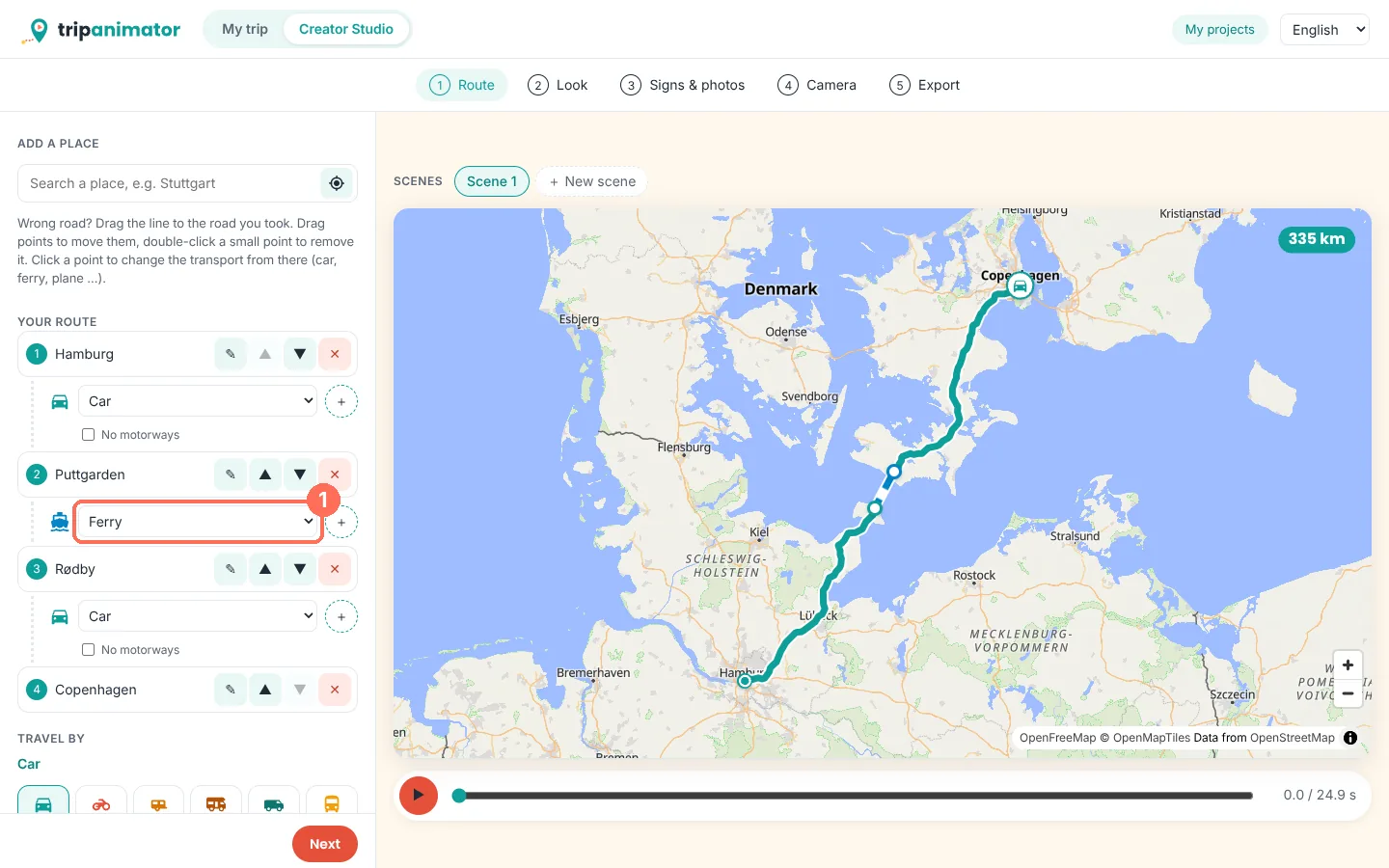
1. Route: click your places, it follows real roads
Search your start and add as many places as you like. With Follow roads switched on, the line snaps to the roads you drove. If it took a different road than you did, drag the line onto the right one. Click any point to change the way of travel from there: car to ferry, ferry to car, or a plane for the flight home.
More: Build a route · Fix the road · Import GPX
2. Look: map style, line and symbol
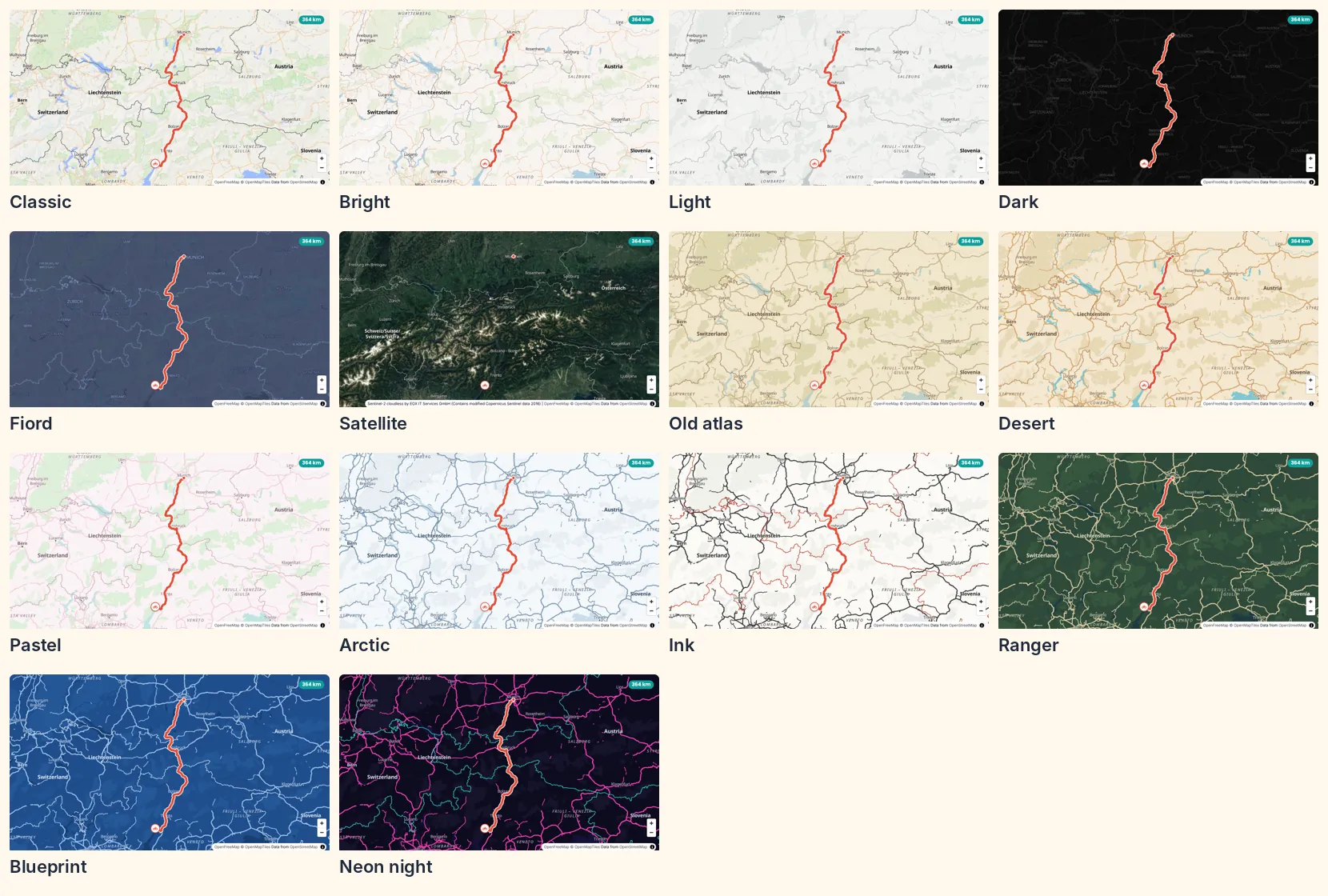
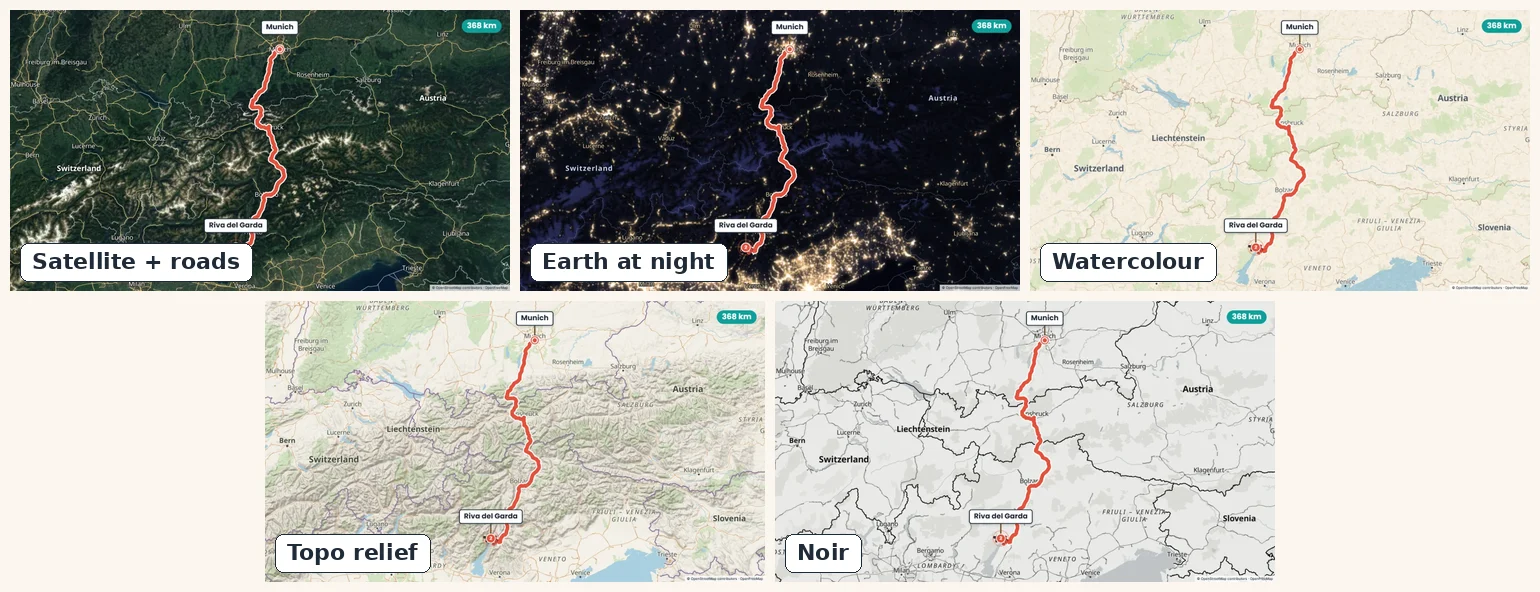
Pick one of 29 map styles, from Classic and Satellite to Old atlas and Neon night, and switch on 3D mountains for a flyover feel. Then set colour, width and style of the line and choose the symbol at its tip: the vehicle, an arrow, a dot or your own photo. Save it all as a style template and every new project gets your channel look in one click.
More: Map styles · Route line · Style templates
3. Signs and photos: tell what happened where
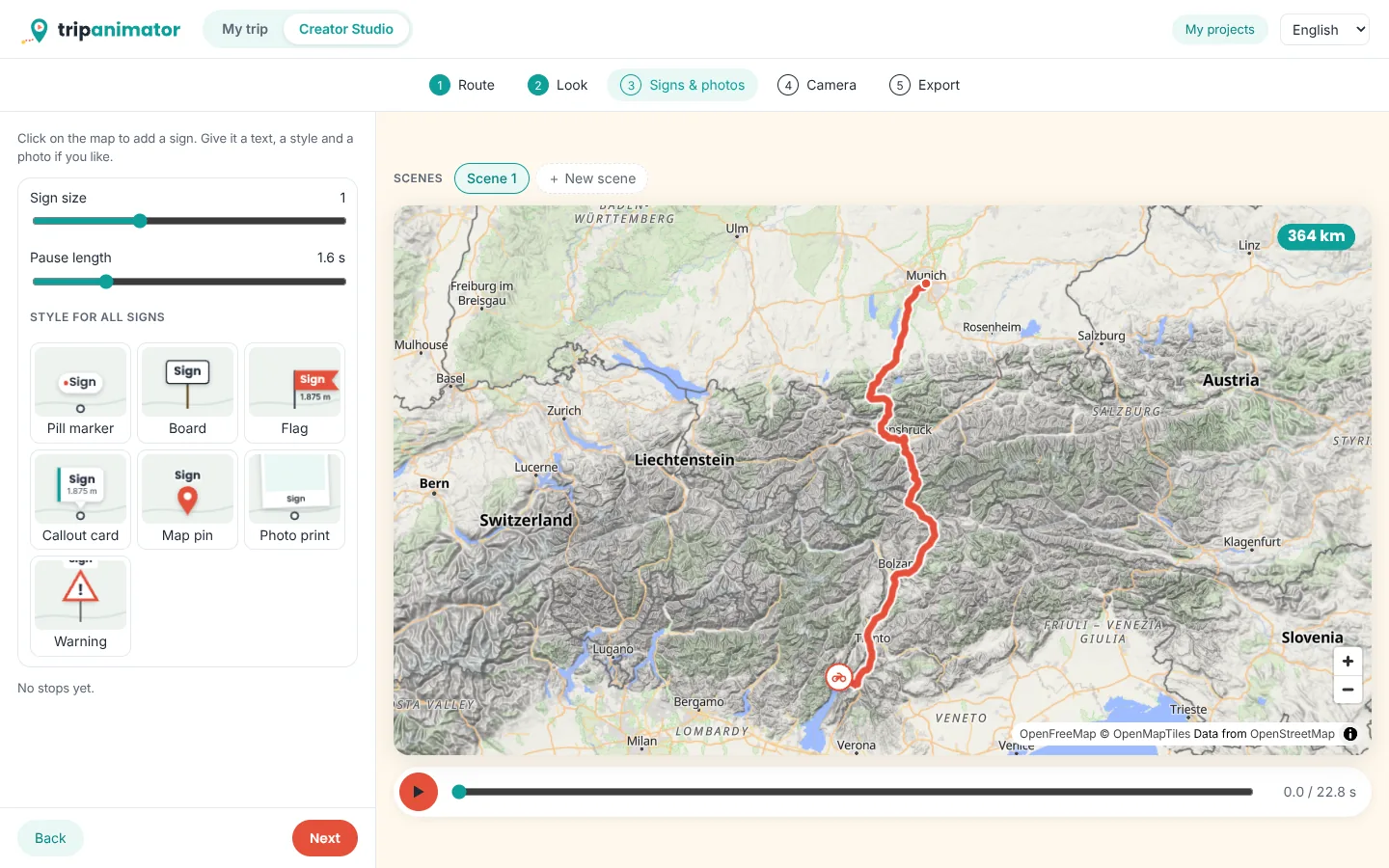
Click on the map to add a sign. Give it a text, choose one of seven styles (pill marker, board, flag, callout card, map pin, photo print, warning) and add a photo if you like. The animation pauses at each sign for as long as you set.
More: Add signs and photos
4. Camera: ten animation styles
The camera decides whether your clip feels calm, epic or punchy. Auto director picks the best shot for every leg on its own: wide for the plane, from the side for the train, behind the car like a drone. Or choose a style yourself:
| Animation style | What the camera does | Good for |
|---|---|---|
| Auto director | Picks the best shot for every leg | Routes with several ways of travel |
| Classic | Top view, north up, calm | Explainer videos, overviews |
| Drone flight | Behind the vehicle, tilted, direction of travel up | Road trips, motorcycle tours |
| Scout ahead | Flies ahead and looks back at the vehicle | Dramatic intros |
| Side flight | Glides alongside the route | Trains and coast roads |
| Orbit | Circles every stop, normal ride in between | Highlighting places |
| World trip | Globe and wide views, zooms in only at the destinations | Long-haul flights, world trips |
| Map maker | The whole route stays in view, short zooms at the stops | Itineraries, multi-day overviews |
| Social punch | Fast with zoom pulses and short stops | 9:16 Shorts, Reels, TikTok |
| Slow travel | Slow, soft and floating, long stops | Travel films with music |

More: All animation styles with example videos · Own camera settings
5. Export: every format, up to 4K
Choose the format (16:9 YouTube, 9:16 Shorts and Reels, 1:1, 4:5 Instagram, 4:3 or 21:9 cinema), the resolution from 720p to 4K and 24 to 60 frames per second. Tick one box and you get a vertical 9:16 version in the same run. Add your own music if you like. The video is created on your computer and saved as MP4.
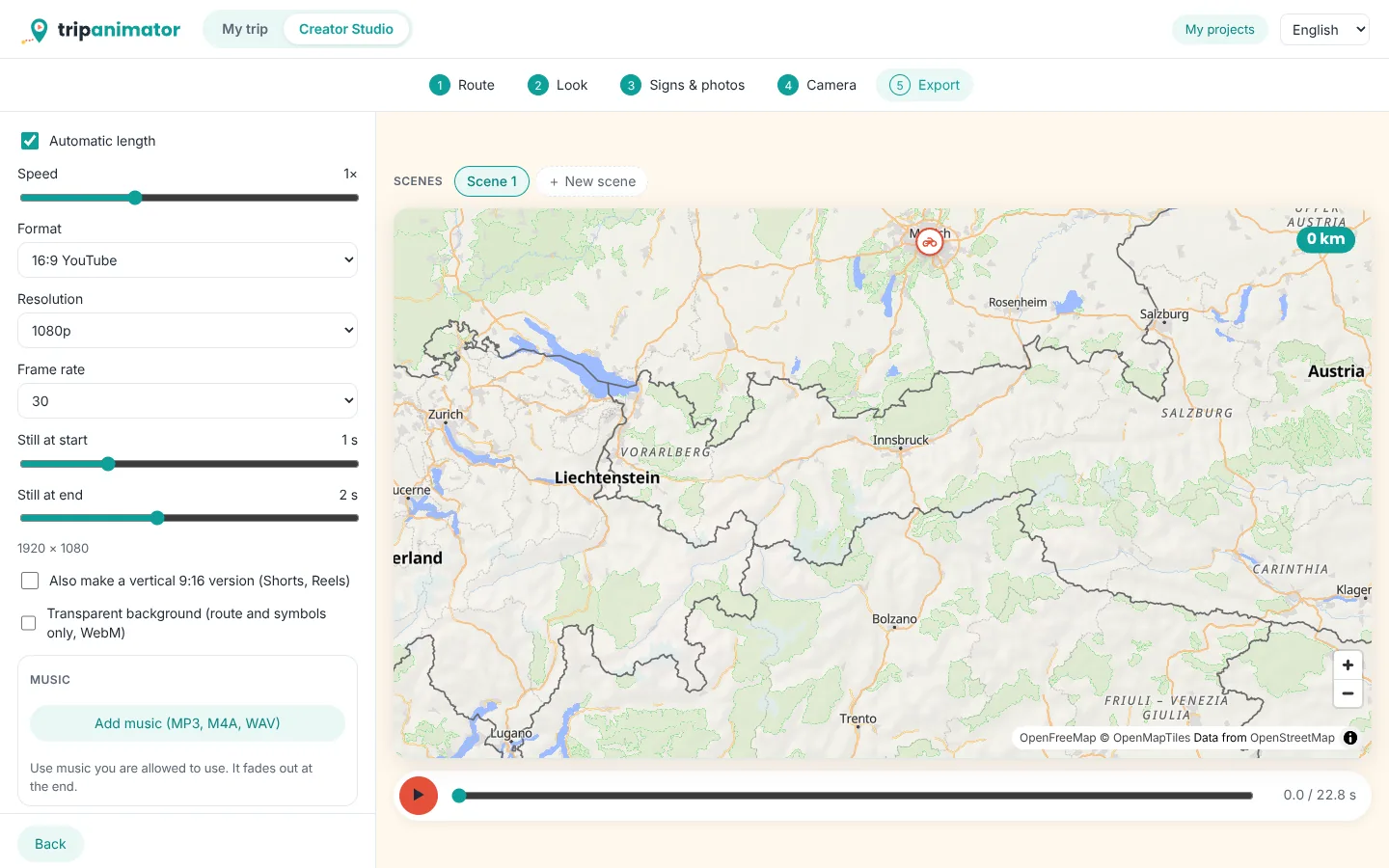
More: Formats and resolution · Vertical version for Shorts
Music, sounds and timing built in
No more searching for music or sound effects: pick one of 17 public domain songs, add a pop or camera click at every stop and the sound of the plane or car while travelling. Set how long each leg takes and how close the camera gets, so long flights never drag. Photos and clips can pop up during the ride, too.
- Free travel music for videos: all 17 songs
- Sounds at stops and travel sounds
- Length and camera for every leg
- Moments on the way
Made for your own edit
- 16:9 and 9:16 in one run: one export, two files, for the long video and the Short.
- Scenes: split a long trip into chapters, export them one by one or together.
- Your music: MP3, M4A or WAV, faded out at the end. Use music you are allowed to use.
Your videos, your rights
The videos you make are yours, also for client work and monetised channels. The only thing that stays is the small map credit in the corner (OpenStreetMap), because the map licence requires it. No logo during the beta.
Questions creators ask
Is Creator Studio free?
Yes, during the beta everything is free and there is no logo in your video. After the beta, TripAnimator stays free to start.
Do I need to install anything or create an account?
No. Creator Studio runs in your browser. Your projects are saved in the browser, and you can save a project file to continue on another computer.
Which browser works best?
A current Chrome or Edge works best. You can create your video on a computer or on your phone. Rendering happens on your own device, so a faster device exports faster.
Can I export a flight path animation?
Yes. Type an airport code like MUC or BCN, choose the plane and the route animates the flight. Flight path animation
All questions: FAQ · Step by step: Help center
Make your first travel map animation
Pick a route you know, give it five minutes and you have your first clip.