
Length and camera for every leg
A ten-hour flight should not take half of your video, and a short walk through the old town should not flash by. For every leg you set its own length and how close the camera gets. This works in Creator Studio and in My trip.
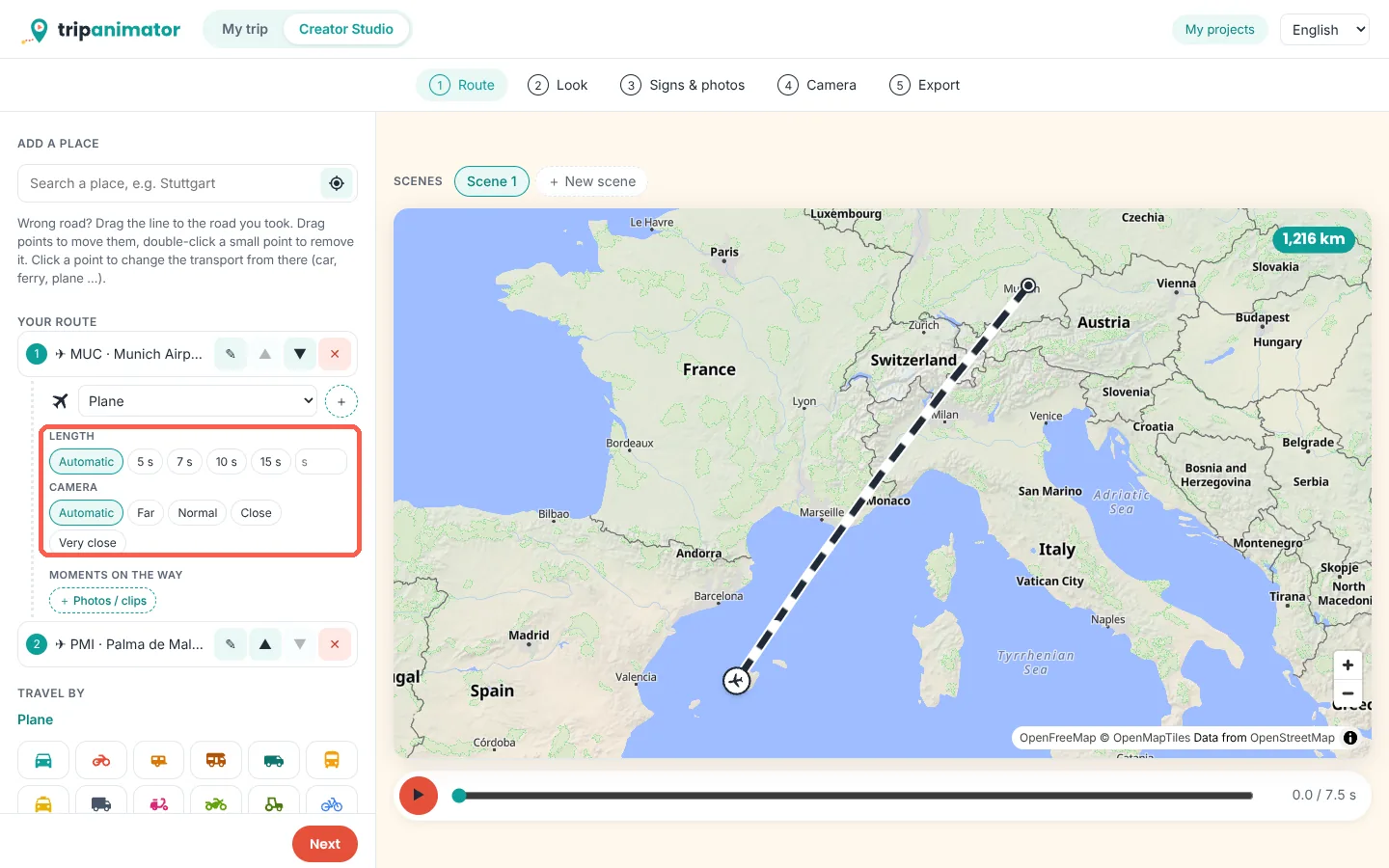
Step by step
- In the route list, open the leg under the stop where it starts.
- Under Length, choose Automatic, 5 s, 7 s, 10 s, 15 s or type your own seconds.
- Under Camera, choose Automatic, Far, Normal, Close or Very close.
- Play the preview and adjust.
Typical settings
| Leg | Length | Camera |
|---|---|---|
| Long-haul flight | 5 to 7 s | Far |
| Road trip day | 10 s | Normal |
| Mountain pass or coast road | 15 s | Close |
| Walk through a city | 7 s | Very close |
Good to know
- Automatic works well for most trips. Change only the legs that feel too long or too short.
- Airport names at take-off and landing: switch on Airport name at flights under Extras in the Look step.
Related help
Try it in the appFree, no sign-up. Your photos stay on your device.
Open the app